+
Connect ChatGPT to AgentReacher
Add the AgentReacher connector in ChatGPT, sign in once, and ChatGPT can start working inside your social media workspace.
1
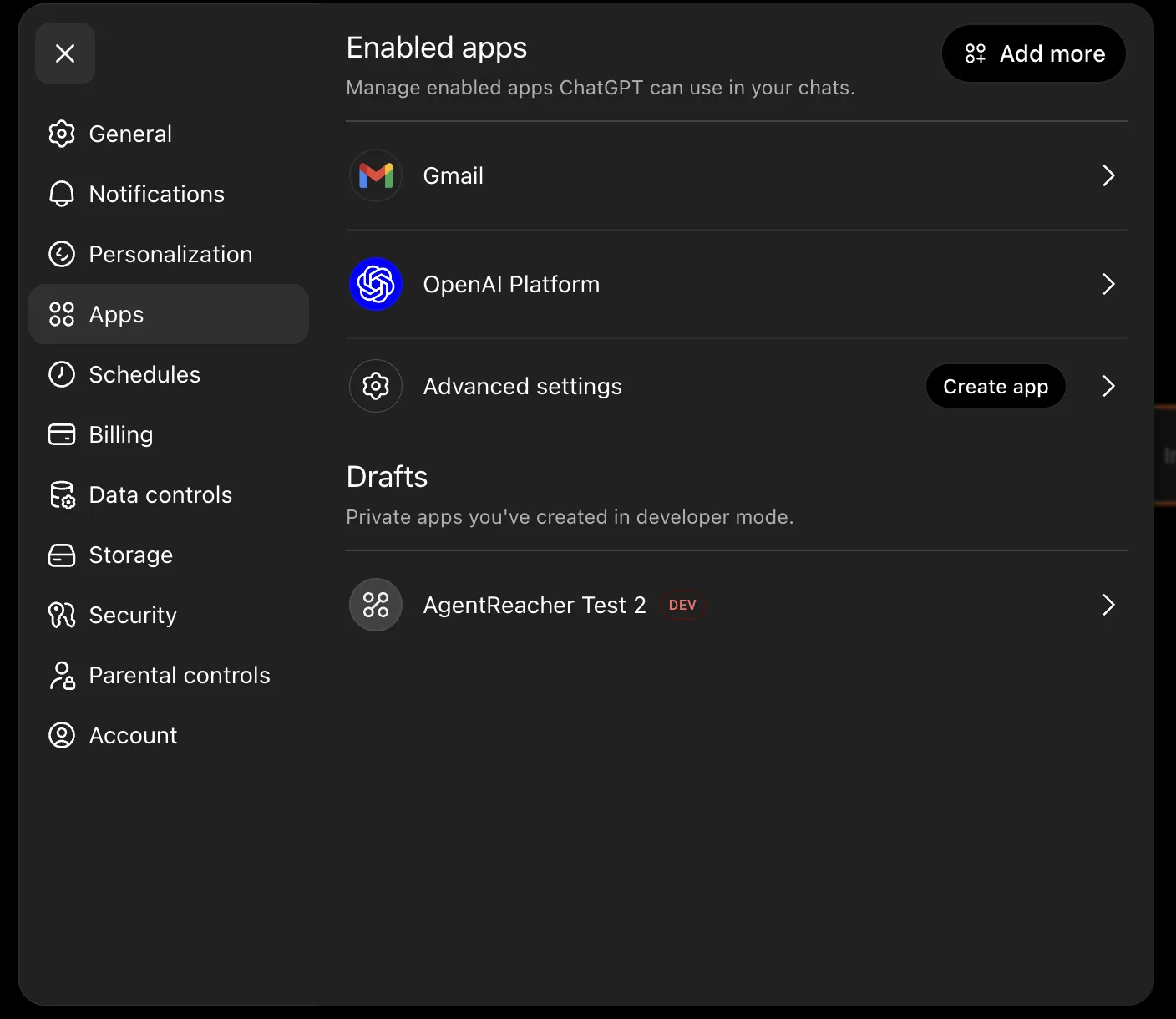
Settings → Apps
In ChatGPT, open Settings and go to Apps. This is where every app you have added shows up.
2
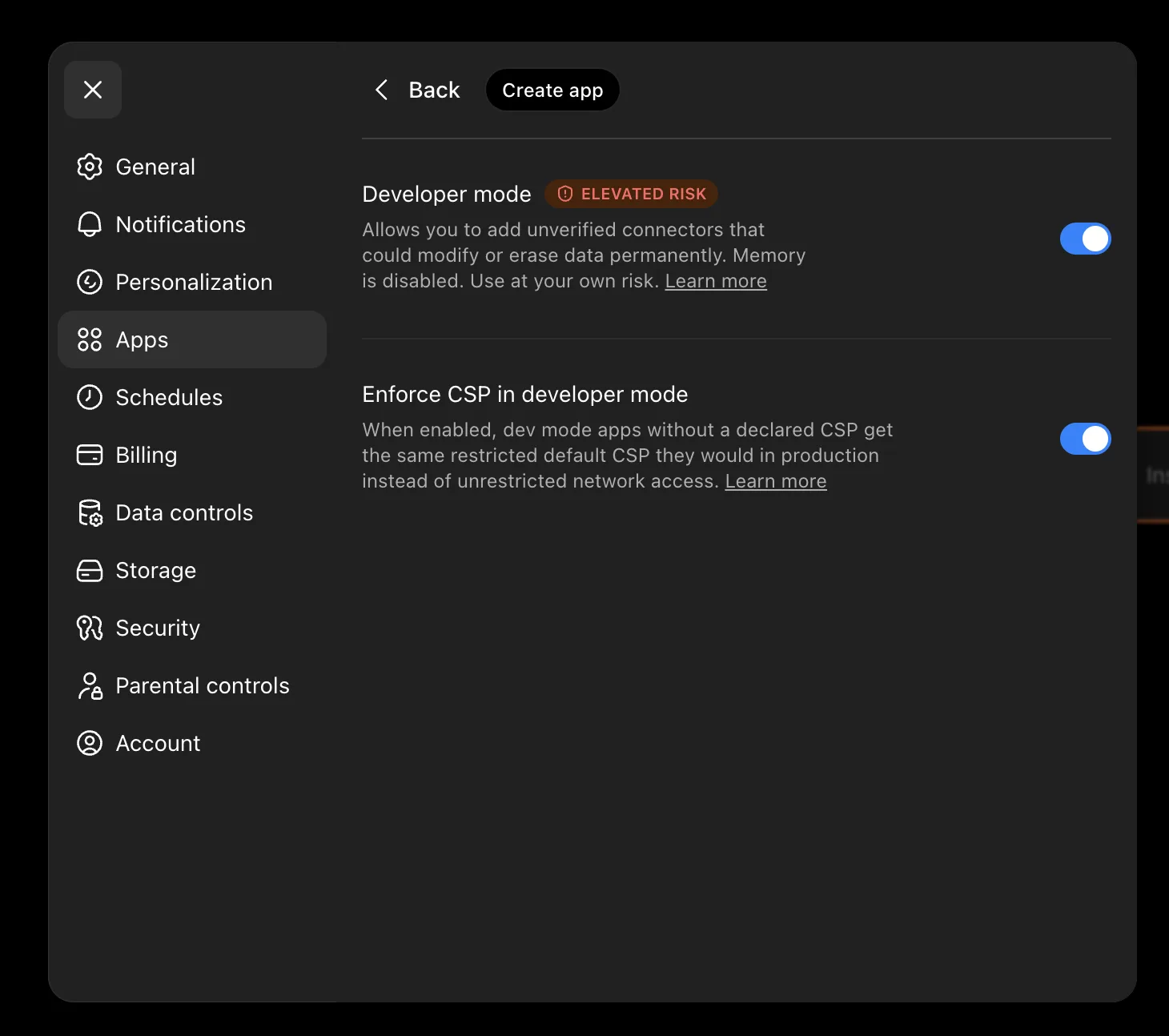
Turn on developer mode
Scroll to Advanced and switch on Developer mode. This unlocks the option to add your own MCP connector.
3
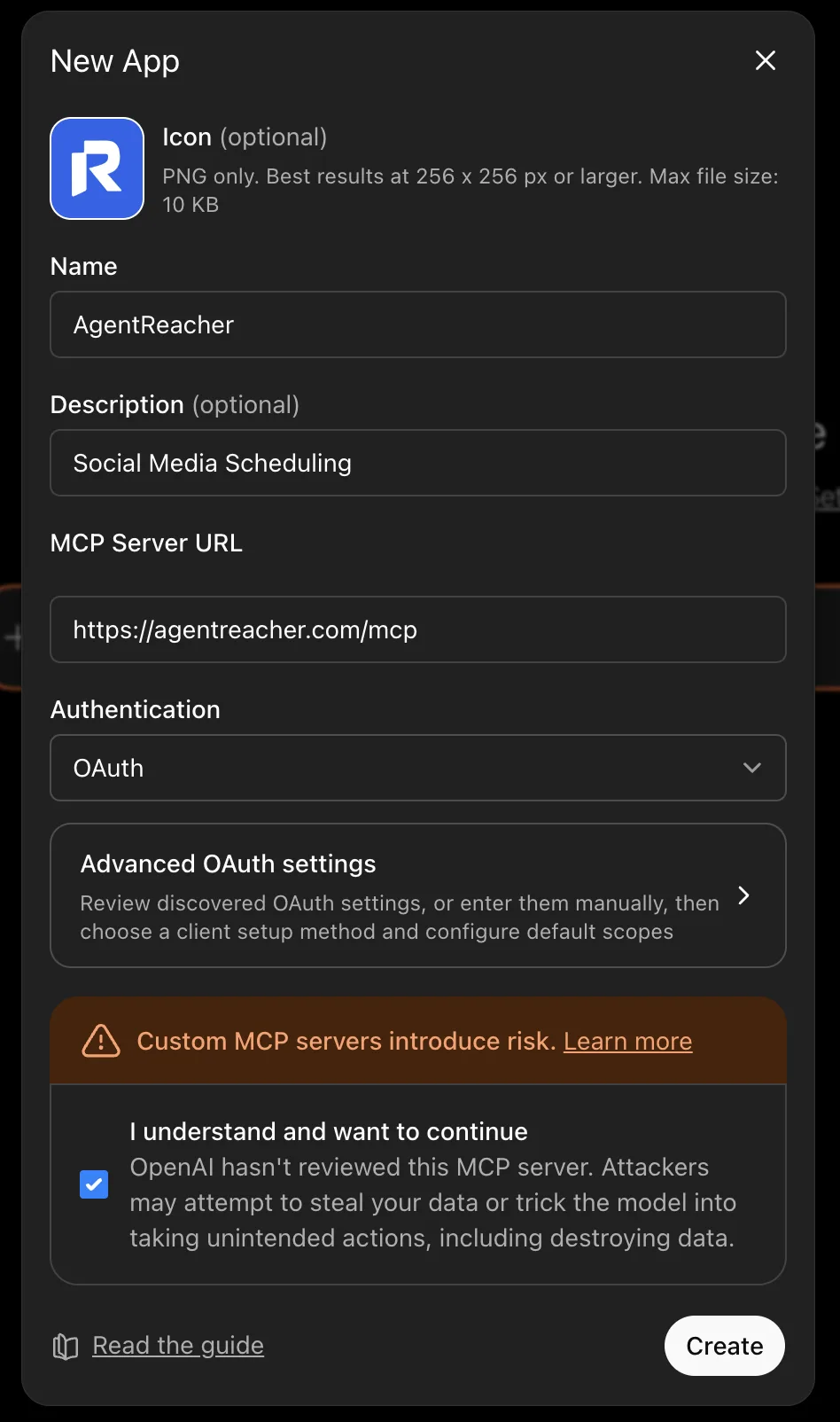
Create a new app
Go back to Apps and click the option to add a new custom MCP app. Paste the AgentReacher URL below, set Authentication to OAuth, and upload the AgentReacher logo as the icon.

4
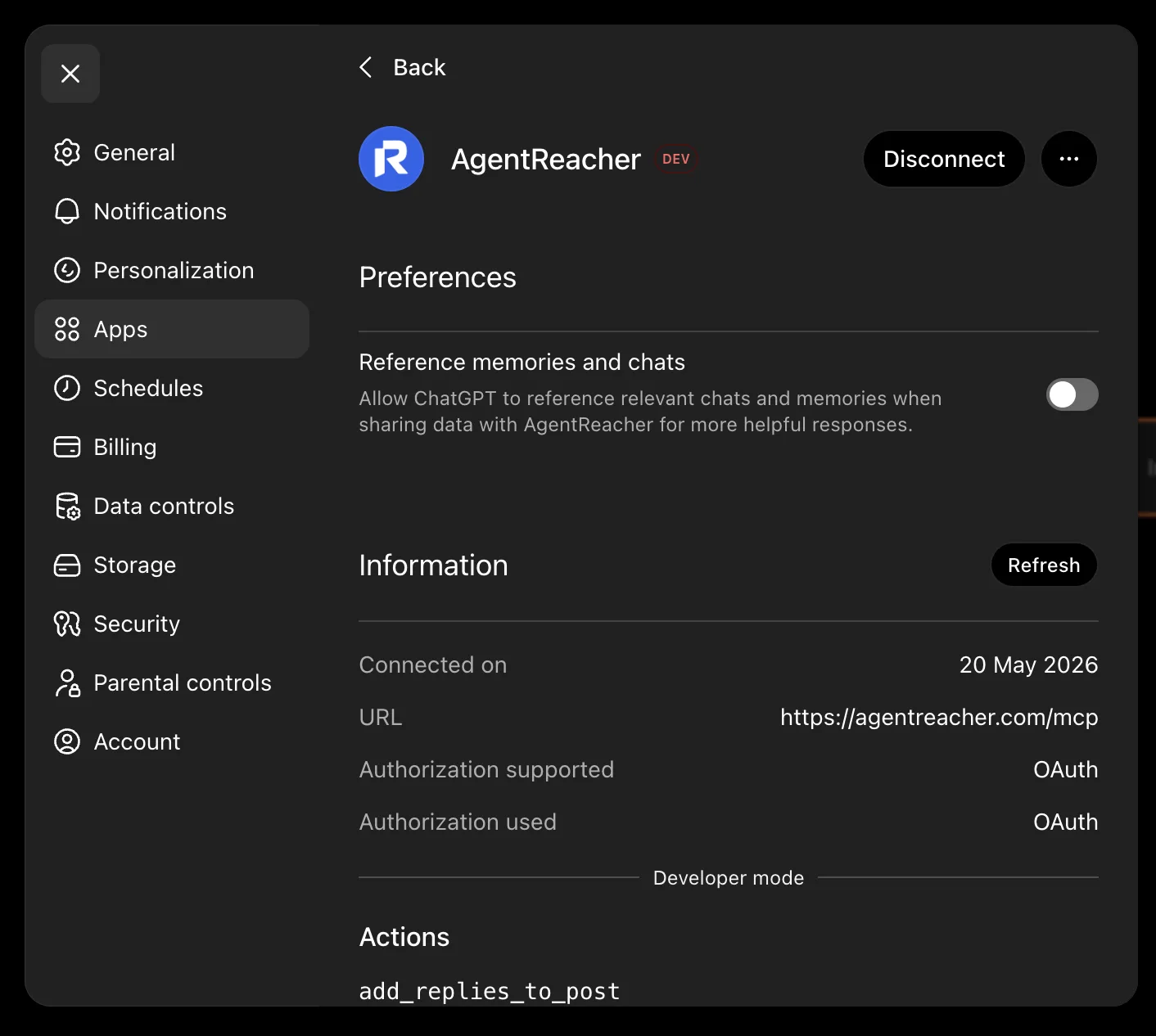
App is connected
Once ChatGPT confirms, AgentReacher shows up in your apps. Start a new chat and ask ChatGPT to draft, schedule, or publish posts.
Try these prompts
Copy any of these and paste into a new chat to put ChatGPT to work.
View all Tools